

Designers, pattern makers and production partners pass patterns back and forth constantly. Digitize the pattern and every handover becomes a file transfer: both sides work from the same true-to-scale file, in the studio or remote.
A paper handover is slow and fragile: the parcel takes days, nobody is sure both sides are looking at the same version, and the original is out of your hands. A digital pattern arrives in seconds, is identical on both screens, and your original never leaves your studio.

Paper lives on one table. A digital pattern travels: to the pattern maker, the design studio, the production partner. The transfer is faster than any parcel, everyone works from the same accurate file, and you always keep your original.
The biggest handover of all is grading. Digitize your pattern and hand your pattern technician a clean digital base to grade in professional CAD software.
Just need a specific file format? Head straight to your workflow: SVG for vector programs, DXF for CAD or PACX for CLO3D.
PatternScan Pro handles distortion correction, scaling and contour detection automatically. Go straight from photo to usable digital pattern.
Lay your cut-out pattern piece on a dark surface, place the four Reference Tiles around it and photograph it from above. Our photography guide shows the ideal photo.
PatternScan Pro corrects the perspective and detects the contours automatically. You review the result in the editor, measure lengths and adjust curves where needed.
Export as SVG, DXF or PACX, depending on what the other side works with, and share it. Everyone works from the same accurate measurements.
Try the three steps with your own pattern.
Design, pattern making and production use different tools. A digitized pattern works in all of them.

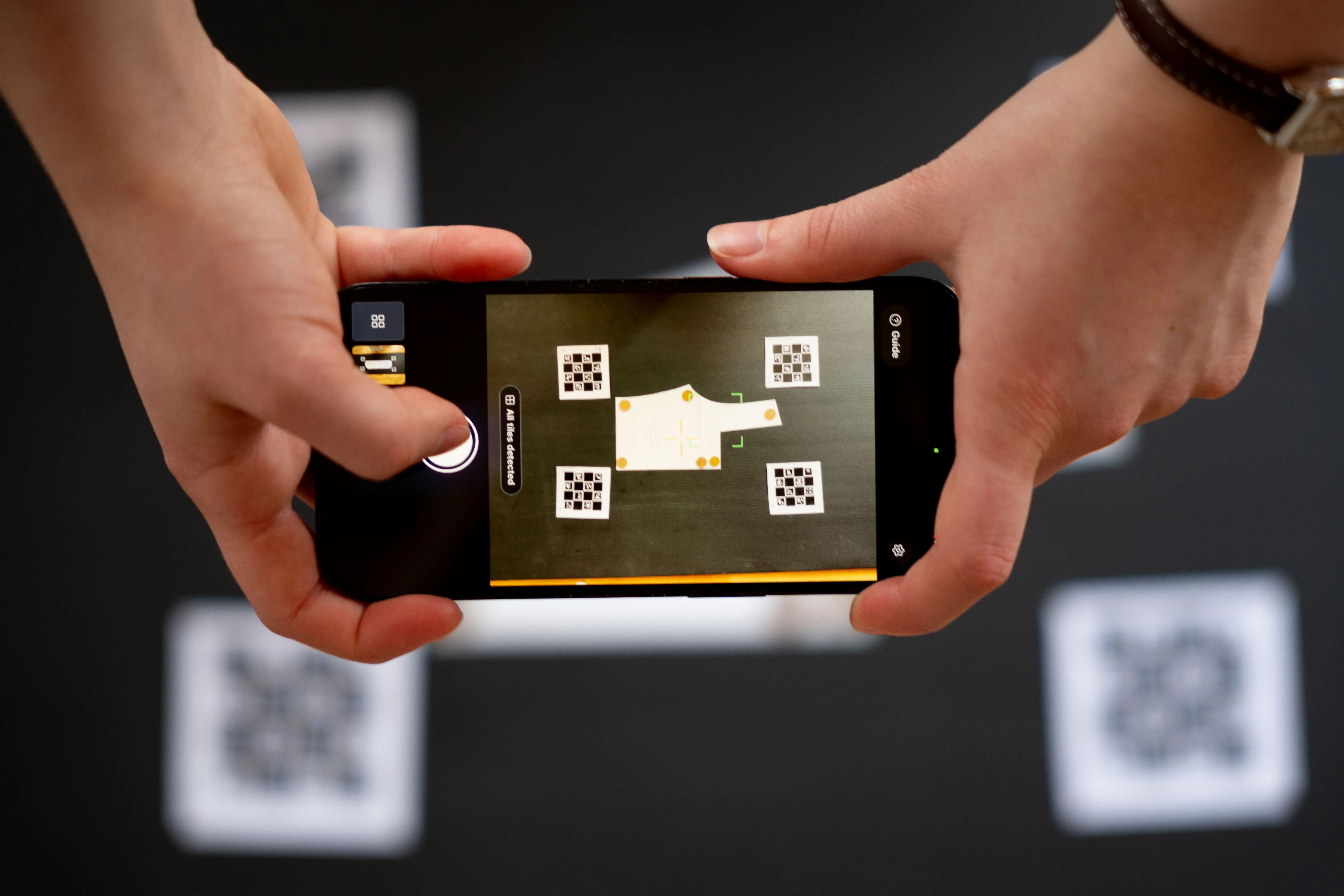
The four printed Reference Tiles around your pattern tell the app exactly how large everything is. PatternScan Pro also corrects the distortion of your camera lens. Together this is what makes photo-based digitizing precise enough for real pattern work. You can verify it yourself: measure a known length after importing.
More on the tiles in our reference guide.
How do I share a digitized pattern?

Inside PatternScan Pro your team works in a shared pattern library. For outside partners, export SVG, DXF or PACX and share the file.

Guide: Creating a Calibration Profile
Learn how to create accurate calibration profiles
Guide: Print and Use Reference
Learn how to use the reference correctly
Guide: How to Photograph Your Pattern
Complete step-by-step instructions
Does the pattern maker need PatternScan Pro too?
Only the person digitizing needs the app. Exported files open in standard software. For the shared pattern library, both sides use PatternScan Pro.
Guide: Creating a Calibration Profile
Learn how to create accurate calibration profiles
Guide: Print and Use Reference
Learn how to use the reference correctly
Guide: How to Photograph Your Pattern
Complete step-by-step instructions
Which format should I send?
Ask what the other side works with: SVG for Illustrator or Inkscape, DXF for CAD like GRAFIS, PACX for CLO3D. All from the same digitized pattern.
Guide: Creating a Calibration Profile
Learn how to create accurate calibration profiles
Guide: Print and Use Reference
Learn how to use the reference correctly
Guide: How to Photograph Your Pattern
Complete step-by-step instructions
Does the pattern have to be cut out?
For automatic detection, yes. The app detects free-standing contours, so cut your pattern along its lines before photographing. Alternatively you can draw the contour manually in the editor, for example on an uncut multi-size sheet. PatternScan Pro still handles calibration, distortion correction and the transfer into any software.
Guide: Creating a Calibration Profile
Learn how to create accurate calibration profiles
Guide: Print and Use Reference
Learn how to use the reference correctly
Guide: How to Photograph Your Pattern
Complete step-by-step instructions
Can I grade patterns with PatternScan Pro?
No, and that is deliberate. Grading is a job for professionals: pattern technicians and pattern makers grade in professional CAD software like GRAFIS. PatternScan Pro covers the step before and turns your paper pattern into a clean digital base for grading.
Guide: Creating a Calibration Profile
Learn how to create accurate calibration profiles
Guide: Print and Use Reference
Learn how to use the reference correctly
Guide: How to Photograph Your Pattern
Complete step-by-step instructions
Have more questions? Feel free to contact us.
Use your digitized patterns for whatever comes next: grading, CAD, 3D simulation, projecting, or your archive.
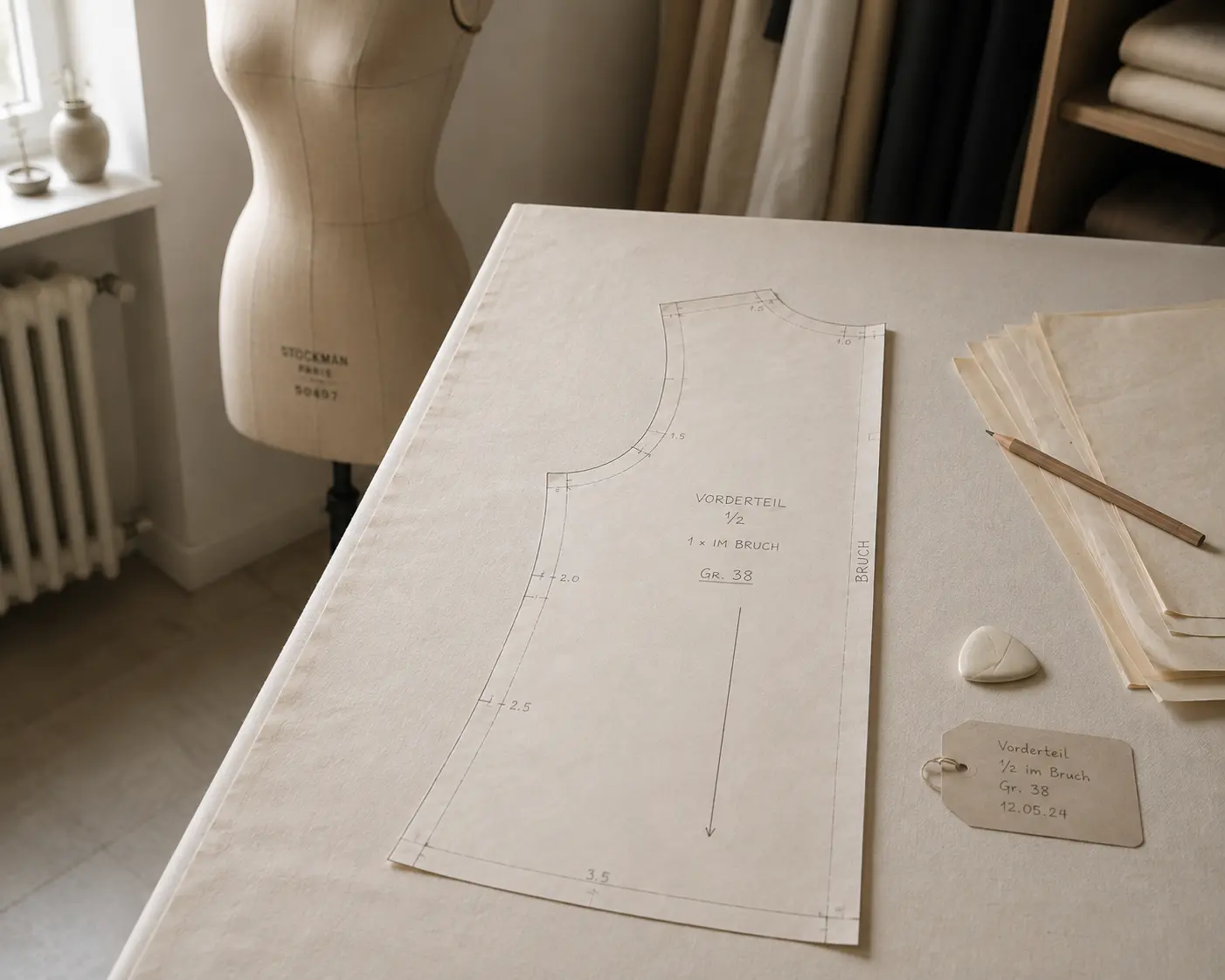
Digitize sewing patterns without tracing.
Test PatternScan Pro free for 14 days with the full feature set. You need your smartphone, a printer and one pattern you always wanted digital.
Photograph your paper pattern and get an automatically scaled digital version with PatternScan Pro.
Usage
.svg)