

Free web app
Sewing projector app: your pattern on the fabric, true to scale
PatternScan Pro Projector is a free web app for your projector. Set it up once over your cutting mat and project your pattern at actual size straight onto the fabric. It turns your projector into a projector for sewing patterns. No printing, no taping, no paper to cut.
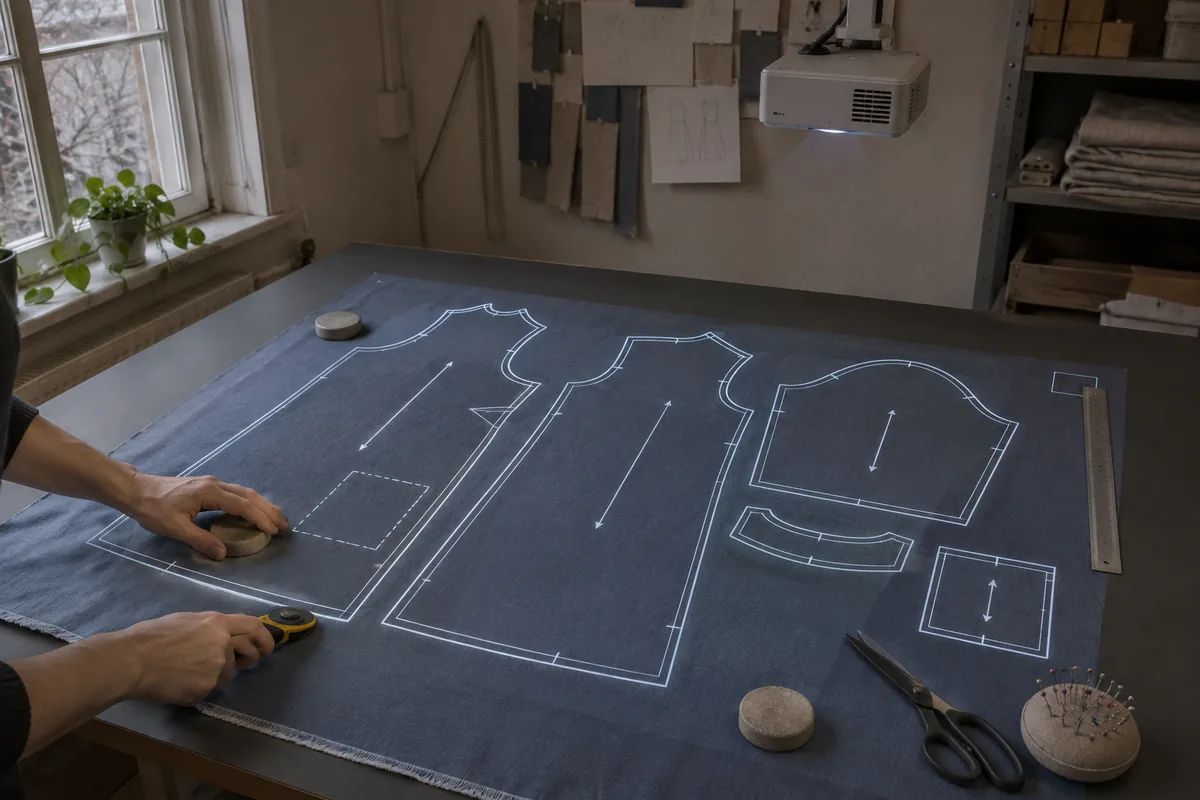
How to use a projector for sewing patterns
- 1
Mount your projector
Place it above your cutting table so it shines down onto the mat, and connect it to your laptop or tablet.
- 2
Calibrate over the mat
Open the app in your browser and mark the four corners of your cutting mat. A test pattern shows right away whether everything fits.
- 3
Project your pattern
Open your pattern as PDF, SVG or DXF, or pick a project you scanned with PatternScan Pro. Project it full screen onto the fabric and cut along the lines.
What you need
- A projector you can mount above your cutting table. Full HD is enough; a short throw model needs less height.
- A laptop or tablet with a browser, connected to the projector.
- A cutting mat to calibrate on.
- Your pattern as PDF, SVG or DXF, or a project scanned with PatternScan Pro.
- No account. You only need a free one if you want to save your calibration profile.
Which projector for sewing patterns?
You don't need an expensive projector. Four things matter:
- Distance: the projector hangs above the table and points down. A standard projector needs more height, a short throw model gets by with less and fits under low ceilings.
- Resolution: Full HD is enough for sharp lines on the fabric.
- Brightness: dim the room a little and an affordable mini projector does the job.
- Mount: a ceiling mount, a boom stand or a clamp arm on a shelf. It just has to hang steady above the mat. It doesn't have to be perfectly straight, the calibration over the four corners takes care of that.
FAQ
What does the app cost?
Nothing. No subscription, and you don't even need an account.
Do I need an account?
No. The app works completely without signing in. A free account only saves your calibration profile, so it is ready next time.
Do I have to install anything?
No. The app runs in the browser on your laptop or tablet.
Short throw or standard projector?
Both work. A short throw projector needs less height above the table. A standard projector is often cheaper but needs more distance.
How accurate is the projection?
As accurate as your calibration. After setup, project the test pattern and measure a length with a ruler.
Which files can I open?
PDF, SVG and DXF, for example the projector file of a pattern you bought. You can project patterns you scanned with PatternScan Pro directly.
Your patterns only exist on paper? Photograph them once with PatternScan Pro. You can then project your scanned projects directly. Learn more