

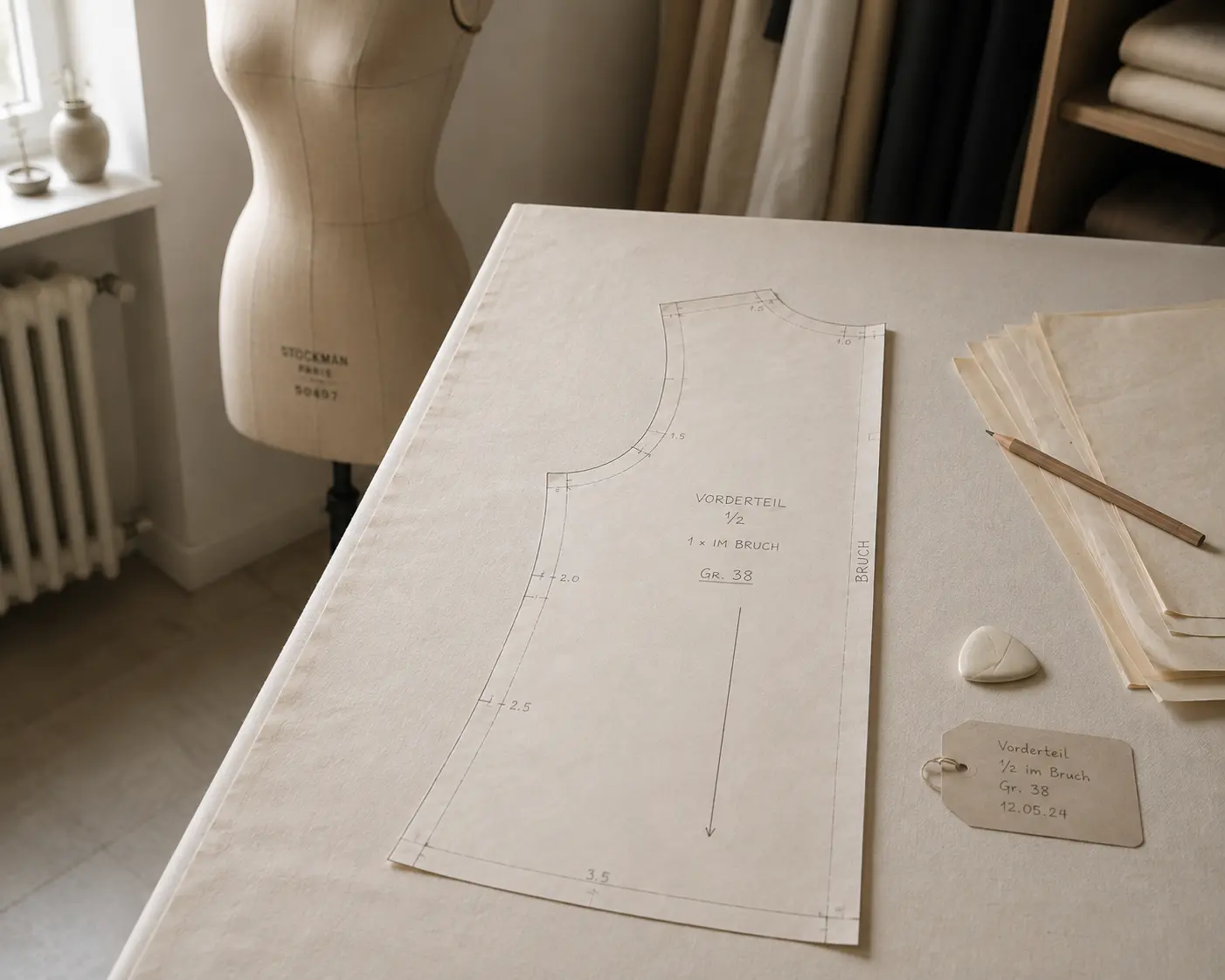
The grainline is a line on the pattern piece stating how the piece must lie on the fabric. It runs parallel to the warp threads.
Fabric does not behave the same in every direction. Along the warp it barely gives, across the weft it gives a little, and diagonally it gives a lot. A piece cut against its intended direction hangs differently, twists on the body and can grow or shrink after the first wash. The grainline is what keeps that from happening by accident.
A straight line with an arrow at each end, running the full length of the piece. When cutting, that line is placed parallel to the selvage. On a piece that lies on a fold, the fold line takes over the job.
Cutting at forty five degrees to the warp is a bias cut. The fabric then stretches and drapes in a way it never would on grain, which is exactly what a bias cut skirt or a bias binding relies on. That is a decision, not an oversight, and it belongs on the pattern as clearly as any other grainline.
In PatternScan Pro you set the grainline in the editor, free or parallel to an edge, and you can turn the piece in steps of 45 degrees so it lies as it will on the fabric. In the exported file the grainline is a line of its own, not part of the contour.
Digitize sewing patterns without tracing.
Test PatternScan Pro free for 14 days with the full feature set. You need your smartphone, a printer and one pattern you always wanted digital.
Photograph your paper pattern and get an automatically scaled digital version with PatternScan Pro.
Usage
.svg)