

Digitizing means turning a pattern made of paper or fabric into a vector file that keeps the original measurements, so software can work with it.
A pattern can be traced by hand on a digitizing tablet, scanned in sections and stitched together, or photographed and computed back to true size. The tablet is accurate but slow and needs dedicated hardware. Scanning breaks down once a piece is larger than the glass. Photographing works with what you already own, provided the image carries a known scale.
Three things decide whether a digitized pattern is usable: the measurements have to match the original, the curves have to stay smooth instead of turning into a chain of short straight lines, and the markings that matter for sewing have to survive. A contour alone is not a pattern. Notches, grainline and piece names carry as much information as the outline.
Once a pattern is a vector file it can be graded in pattern CAD, draped in 3D, projected onto fabric at full size, sent to a plotter, or simply stored without the paper ageing. The digital version also travels: a colleague on another continent works from the same file rather than from a scan of a scan.
PatternScan Pro digitizes from a photo. The four reference tiles give the image its scale, PatternScan Pro removes lens and perspective distortion, detects the contour and exports SVG, DXF, PACX or PNG. Notches, seam allowance and grainline are added in the editor.
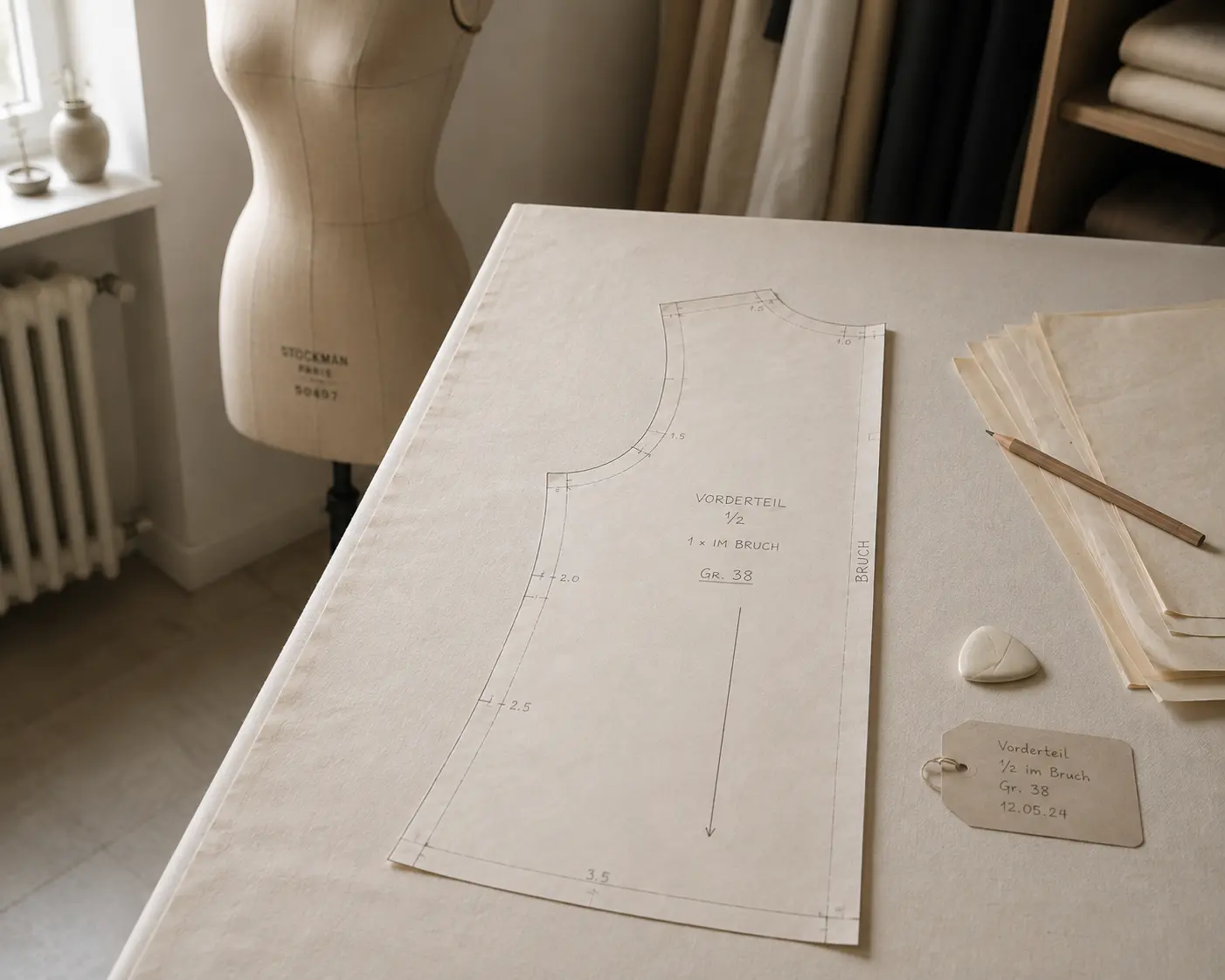
Digitize sewing patterns without tracing.
Test PatternScan Pro free for 14 days with the full feature set. You need your smartphone, a printer and one pattern you always wanted digital.
Photograph your paper pattern and get an automatically scaled digital version with PatternScan Pro.
Usage
.svg)